Save Instagram & Discord Voice Messages
How it works
Activate your license once. A download button appears on every voice message—click it and the audio saves to your device automatically.
- 1
Install & activate
Install the Chrome extension and enter your license key. Validation takes seconds.
- 2
Open Instagram or Discord
Browse chats as usual. The purple download button appears next to each voice message.
- 3
Click to download
One tap saves the audio file to your computer in original quality—no uploads, no waiting.
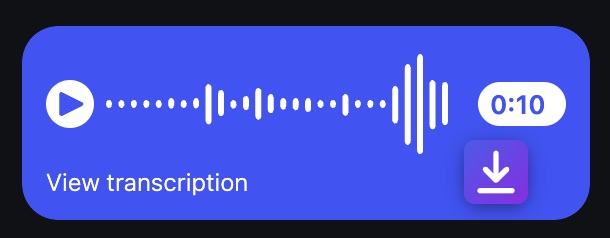
The download button appears on voice notes in Instagram Direct.
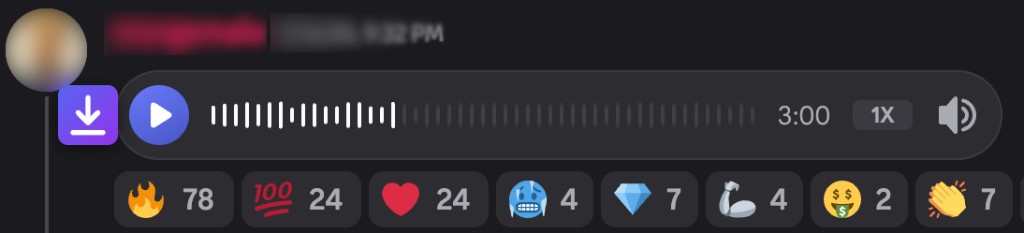
Discord
Same one-click download button next to Discord voice messages.
Works in Chrome and Chromium-based browsers. Your audio never leaves your device.
Why Choose VoiceMessageDownloader.com?
Your backup when voice messages disappear from chats or can no longer be replayed
One-Click Downloads
Save any voice message to your device with a single click. You own the audio file—not just a message that may vanish from the chat.
Multi-Platform
Works with Instagram and Discord on the web. It does not run inside the mobile apps.
Original Quality
Downloads preserve the original audio quality and format. No compression, no quality loss.
Lightning Fast
Instant downloads without waiting. The extension processes files efficiently to save you time.
Secure & Private
Your license is validated securely. We store the license key, the purchase email, and a device id so the license can be restored and limited to 5 browsers. Voice messages are downloaded in your browser and are not uploaded to us.
Lifetime License
One-time payment, lifetime access. No subscriptions, no recurring fees. Your license never expires.
Frequently Asked Questions
Everything you need to know